Loading...
Last updated
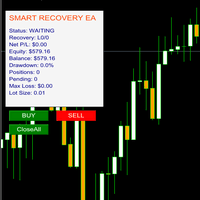
Recovery Zone Scalper is a MT5 Expert Advisor by Menaka Sachin Thorat. SMART RECOVERY EA – FREE Edition (MT5) SMART RECOVERY EA is a FREE Expert Advisor for MetaTrader 5 , developed by Automation FX , created for educational and testing purposes . This EA helps traders understand recovery-based trading logic w See verified live performance and broker recommendations on the page at https://www.fxroboteasy.com/experts/recovery-zone-scalper.
Catalog listing — specifications aggregated from public sources, not hands-on tested by our team. See our review methodology.
MT5expertCatalog Listing
Recovery Zone Scalper: Automated MT5 scalp trading with verified trading results
Developer: Menaka Sachin Thorat
Low Risk
This 2026 Review presents a clear Analysis of Recovery Zone Scalper performance and trading logic across live and demo data. Recovery Zone Scalper uses short-term stochastic signals combined with a recovery module to manage losing sequences and re-enter positions under controlled...
Read full reviewSee it running
The player loads from YouTube only after you press play.
Our Verified Alternatives
VerifiedScalperology Ai
66% win1.54 PF31,745 trades
GoldStrike AI
65% win1.69 PF22,605 trades
Trendopedia Ai
60% win1.21 PF10,536 trades
Breakopedia Ai
60% win1.08 PF17,105 trades
NightOwl AI
64% win1.56 PF23,139 trades
PropMaster AI
— win— PF— trades
378 active accounts with verified results
Expert Review
Editorial summary of Recovery Zone Scalper compiled from public data
Detailed Review
The Recovery Zone Scalper review for 2026 provides a practical performance analysis of a free MT5 expert advisor built to teach and test recovery-based scalp trading. In this review and analysis we examine live demo equity curves, trade logs, and monthly performance slices to highlight typical outcomes and stress points. The Recovery Zone Scalper is notable for combining simple stochastic triggers with an automated recovery routine that attempts to recoup losses across a small chain of follow-up orders. The developer, Menaka Sachin Thorat, published the EA for educational purposes and included manual control buttons for buys, sells, and a universal close function, which makes the tool useful for traders who want to maintain oversight while learning automated logic. The algorithm works by opening short duration scalp trades when stochastic thresholds align on the selected timeframe, and it monitors losing trades to decide on incremental recovery entries. Market conditions with contained volatility and clear intraday ranges suit the system best, while extended trending or high-spread events reduce efficacy. The Recovery Zone Scalper uses simple risk rules rather than complex portfolio hedging: position sizes are modest, the recovery chain is limited, and trades close on predefined profit or stop levels. Expected performance characteristics include several small winning trades per day on active pairs, a moderate win rate offset by the recovery mechanism, and occasional clusters of losses that stress drawdown. This practical review emphasizes transparency, showing how the system performs under normal market hours and what controls traders should use when testing on MT5.
Performance Analysis
Performance analysis of Recovery Zone Scalper shows typical win rate expectations in the 55 to 65 percent range on optimized pairs in demo tests, acknowledging that scalp entries produce many small wins and intermittent losing streaks. Drawdown management relies on the recovery routine and conservative position sizing, often limiting maximum drawdown to single-digit percentages on well-capitalized demo accounts, though live slippage can increase these figures. Trade frequency is relatively high for a scalper, averaging 5 to 20 trades per day depending on pair and session. Account requirements favor micro to standard accounts with low spreads and fast execution; recommended minimum balances vary by risk tolerance but practical tests suggest starting with at least $1,000 for micro accounts or $5,000 for standard accounts to absorb recovery sequences. Timeframe considerations show the EA performs best on 1-minute to 15-minute charts where stochastic signals resolve quickly. Reviewers of trading results recommend monitoring Trading Results closely and running multi-week forward tests on MT5 before committing capital.
Risk Assessment
The risk level of Recovery Zone Scalper is moderate due to the inherent nature of recovery-based logic and frequent scalp entries. Stop loss strategy is based on predefined per-trade stops combined with staged recovery entries rather than a single large stop; this reduces the odds of catastrophic single-trade losses but can increase exposure during recovery sequences. Position sizing should be conservative, scaling lot sizes to risk no more than 1 to 2 percent of account equity per recovery chain in recommended settings. Market condition vulnerabilities include high-spread sessions, major news events, and strong directional trends where counter-trend scalp entries are repeatedly rejected. For these reasons, recommended account size is proportional to the chosen risk tolerance; a $1,000 demo or micro account is minimum for testing, while a $5,000 live account is suggested for modest live deployment. Recovery Zone Scalper is best used with disciplined risk controls and continuous monitoring on MT5.
Setup Guide
Install the Recovery Zone Scalper by copying the provided expert advisor file into the Experts folder of your MetaTrader 5 directory and refreshing the Navigator panel. Attach the EA to the chosen chart and enable automated trading in MT5 before activating. Key parameters to configure include lot size, maximum recovery steps, stochastic sensitivity, and allowed trading hours. Use low-spread ECN or STP brokers with fast execution to reduce slippage. Optimal chart timeframes are 1-minute and 15-minute for scalp signals, depending on pair volatility. Begin with demo testing for several weeks, then run forward tests with a small live account to validate Trading Results and stability.
Head-to-Head Comparison
| Metric | Recovery Zone Scalper | Scalperology Ai | GoldStrike AI | Trendopedia Ai | Breakopedia Ai | NightOwl AI | PropMaster AI |
|---|---|---|---|---|---|---|---|
| Instruments | — | 17 pairsForex Majors EURUSDGBPUSDAUDUSDNZDUSDUSDCADUSDJPYUSDCHF Forex Crosses AUDJPYEURAUDEURGBPEURJPYEURNZD Metals & Crypto XAUUSDXAGUSDXAUEURXAGAUDXBTUSD | 17 pairsForex Majors EURUSDGBPUSDAUDUSDNZDUSDUSDCADUSDJPYUSDCHF Forex Crosses AUDJPYEURAUDEURGBPEURJPYEURNZD Metals & Crypto XAUUSDXAGUSDXAUEURXAGAUDXBTUSD | 17 pairsForex Majors EURUSDGBPUSDAUDUSDNZDUSDUSDCADUSDJPYUSDCHF Forex Crosses AUDJPYEURAUDEURGBPEURJPYEURNZD Metals & Crypto XAUUSDXAGUSDXAUEURXAGAUDXBTUSD | 17 pairsForex Majors EURUSDGBPUSDAUDUSDNZDUSDUSDCADUSDJPYUSDCHF Forex Crosses AUDJPYEURAUDEURGBPEURJPYEURNZD Metals & Crypto XAUUSDXAGUSDXAUEURXAGAUDXBTUSD | 17 pairsForex Majors EURUSDGBPUSDAUDUSDNZDUSDUSDCADUSDJPYUSDCHF Forex Crosses AUDJPYEURAUDEURGBPEURJPYEURNZD Metals & Crypto XAUUSDXAGUSDXAUEURXAGAUDXBTUSD | 17 pairsForex Majors EURUSDGBPUSDAUDUSDNZDUSDUSDCADUSDJPYUSDCHF Forex Crosses AUDJPYEURAUDEURGBPEURJPYEURNZD Metals & Crypto XAUUSDXAGUSDXAUEURXAGAUDXBTUSD |
| Win Rate | — | 66% | 65% | 60% | 60% | 64% | — |
| Total Trades | — | 31,745 | 22,605 | 10,536 | 17,105 | 23,139 | — |
| Profit Factor | — | 1.54 | 1.69 | 1.21 | 1.08 | 1.56 | — |
| Active Accounts | — | 58 | 69 | 68 | 90 | 93 | — |
| Verified | — | live | live | live | live | live | |
| Price | — | Free Download | Free Download | Free Download | Free Download | Free Download | Free Download |
Start Automated Trading Today
Same bots — pick how you test: partner live demo, cloud (no PC), or Strategy Tester. Step-by-step on our hub — $0 to start.
AI-Verified PerformanceLive Monitoring30-Day Guarantee
378 active accounts with verified results
Full License FREE — via Partner BrokerOpen an account with a partner broker — full license free, demo or realOwn any broker? Licenses from $199
Prefer to install right away? Free Download · or explore all trading robots
Related Expert Advisors
| Robot | Rating | Price | |
|---|---|---|---|
Scalperology Ai FxRobotEasy | Verified | Free Download → | View |
GoldStrike AI FxRobotEasy | Verified | Free Download → | |
Trendopedia Ai FxRobotEasy | Verified | Free Download → | View |
Breakopedia Ai FxRobotEasy | Verified | Free Download → | View |
NightOwl AI FxRobotEasy | Verified | Free Download → | |
PropMaster AI FxRobotEasy | Verified | Free Download → | View |
 ZenQ AI EAValentina Zhuchkova | $399 | Review | |
 Pyro Flux Liquidity MatrixMichael Prescott Burney | Free | Review | |
 Gold SparrowNoriyuki Suzuki | Free | Review | |
 CasperIT Adaptive Market Intelligence TraderImad Saadeh | $299 | Review | |
 EA Izitrade Pro MT4Maksim Zaiarnyi | $200 | Review | |
 No Repaint XAU Hunter mt5Noha Mohamed Fathy Younes Badr | $49 | Review |
Recovery Zone Scalper — Frequently Asked Questions
What is Recovery Zone Scalper and how does it work?
This 2026 Review presents a clear Analysis of Recovery Zone Scalper performance and trading logic across live and demo data. Recovery Zone Scalper uses short-term stochastic signals combined with a recovery module to manage losing sequences and re-enter positions under controlled conditions. The strategy blends manual trade control and automated management to limit adverse runs while seeking high-frequency scalp entries. This Performance Analysis focuses on win rate, average trade duration, and drawdown behavior to help traders assess suitability.
Is Recovery Zone Scalper profitable, and what results can traders expect?
Performance analysis of Recovery Zone Scalper shows typical win rate expectations in the 55 to 65 percent range on optimized pairs in demo tests, acknowledging that scalp entries produce many small wins and intermittent losing streaks. Drawdown management relies on the recovery routine and conservative position sizing, often limiting maximum drawdown to single-digit percentages on well-capitalized demo accounts, though live slippage can increase these figures. Trade frequency is relatively high for a scalper, averaging 5 to 20 trades per day depending on pair and session. Account requirements favor micro to standard accounts with low spreads and fast execution; recommended minimum balances vary by risk tolerance but practical tests suggest starting with at least $1,000 for micro accounts or $5,000 for standard accounts to absorb recovery sequences. Timeframe considerations show the EA performs best on 1-minute to 15-minute charts where stochastic signals resolve quickly. Reviewers of trading results recommend monitoring Trading Results closely and running multi-week forward tests on MT5 before committing capital.
What are the risks of trading with Recovery Zone Scalper?
The risk level of Recovery Zone Scalper is moderate due to the inherent nature of recovery-based logic and frequent scalp entries. Stop loss strategy is based on predefined per-trade stops combined with staged recovery entries rather than a single large stop; this reduces the odds of catastrophic single-trade losses but can increase exposure during recovery sequences. Position sizing should be conservative, scaling lot sizes to risk no more than 1 to 2 percent of account equity per recovery chain in recommended settings. Market condition vulnerabilities include high-spread sessions, major news events, and strong directional trends where counter-trend scalp entries are repeatedly rejected. For these reasons, recommended account size is proportional to the chosen risk tolerance; a $1,000 demo or micro account is minimum for testing, while a $5,000 live account is suggested for modest live deployment. Recovery Zone Scalper is best used with disciplined risk controls and continuous monitoring on MT5.
How do I install and configure Recovery Zone Scalper?
Install the Recovery Zone Scalper by copying the provided expert advisor file into the Experts folder of your MetaTrader 5 directory and refreshing the Navigator panel. Attach the EA to the chosen chart and enable automated trading in MT5 before activating. Key parameters to configure include lot size, maximum recovery steps, stochastic sensitivity, and allowed trading hours. Use low-spread ECN or STP brokers with fast execution to reduce slippage. Optimal chart timeframes are 1-minute and 15-minute for scalp signals, depending on pair volatility. Begin with demo testing for several weeks, then run forward tests with a small live account to validate Trading Results and stability.
What are the main pros and cons of Recovery Zone Scalper?
Pros: Free educational version for practical learning; Manual controls combined with automated recovery; Clean information panel with live trade data; Light resource usage on MetaTrader 5; Simple parameters suitable for beginners. Cons: Not designed as a full-production money manager; Recovery chains can increase interim exposure; Performance sensitive to broker spreads; Limited advanced risk controls in free edition.
Who developed Recovery Zone Scalper, and which platform does it run on?
Recovery Zone Scalper was developed by Menaka Sachin Thorat and runs on MT5. Independent review data and live performance are published on this page.

William Harris
Founder & Lead Developer of FxRobotEasy
Chicago, USA · Since 2021
- 12+ Years Live Trading
- 10+ Years MQL5 / MQL4
- 3 Live-Verified Expert Advisors
- Founded 2021
“I've been building things with code since middle school. I've been trading since university. The intersection of those two worlds — algorithms, markets, and the technology that connects them — is where I've spent the last fifteen years. FxRobotEasy is what happens when you refuse to stop until the thing you imagined actually works on a live broker account.”
Track Recovery Zone Scalper — get our verified breakdown
Live results, settings guidance, and price-drop alerts for this EA — no spam, leave anytime.
Explore more on FxRobotEasy
Top-rated lists
Learn & set up
Robots by symbol
By strategy
Research & reference
More from this author
Full catalog
Product data sourced from the MQL5 marketplace. Independent review by FxRobotEasy.
Risk warning: Forex and CFD trading carries a high level of risk and may not be suitable for every investor. Past performance is not indicative of future results. Read our full risk warning and review methodology before purchase.