Loading...
Last updated
Drawing Button MT5 is an MT5 utility published on the MQL5 Market by Kazushi Okamoto, priced at $30. Its MQL5 listing describes it in the developer's words as: "Drawing Assistant Tool for MT5 This is an assistant tool that allows you to create drawing objects with a single click from an on-chart panel, using settings independent of the standard MT5 objects." FxRobotEasy has not traded Drawing Button MT5 on a live account and publishes no broker-verified performance record for it.
Drawing Button MT5 at a glance
- Platform
- MetaTrader 5 (MT5)
- Product type
- Utility
- Developer
- Kazushi Okamoto
- Price
- $30
- Listing
- MQL5 Market (mql5.com)
- What the developer says it does
- “Drawing Assistant Tool for MT5 This is an assistant tool that allows you to create drawing objects with a single click from an on-chart panel, using settings independent of the standard MT5 objects.”
- FxRobotEasy verification status
- FxRobotEasy has not traded Drawing Button MT5 on a live account and publishes no broker-verified performance record for it.
Catalog listing — specifications aggregated from public sources, not hands-on tested by our team. See our review methodology.
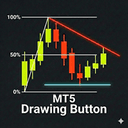
MT5utilityCatalog Listing
Drawing Button MT5 enhances charting speed and precision with one-click drawing presets
Developer: Kazushi Okamoto$30
Low Risk
This 2026 Review provides a Performance Analysis of Drawing Button MT5 across live and demo environments. The tool is a drawing assistant rather than a trading algorithm, designed to accelerate chart setup by creating drawing objects from an on-chart panel with a single click. Dr...
Read full reviewLive stream & verified accounts
Live MetaTrader terminals from FxRobotEasy verified accounts. Every capture is watermarked and hash-stamped, and opens its own public report.
The player loads from YouTube only after you press play.
Expert Review
Editorial summary of Drawing Button MT5 compiled from public data
Detailed Review
Drawing Button MT5 review 2026 performance analysis begins with a clear distinction: this product is a charting utility, not an automated trading system. In this review and performance analysis for 2026, the emphasis is on measurable workflow improvements and usability results rather than win rates or return percentages. Drawing Button MT5 stands out because it decouples drawing object appearance from MT5 native objects, offering two independent presets plus access to the standard toolbar style, which together produce three distinct visual configurations for trendlines, Fibonacci tools, and other objects. The tool's internal logic is straightforward: an on-chart panel maps each button to a drawing object type and a preset configuration. Clicking a button creates the object with preconfigured colors, line widths, and interaction modes. That deterministic behavior removes variability that often occurs when traders manually style objects, helping to reduce setup errors and save time. Drawing Button MT5 integrates with MT5 platform specifics, storing preset data locally in the terminal and respecting chart symbol and timeframe context where applicable. In practical terms, the best market conditions for this utility are any scenario where traders repeatedly place the same visual elements, such as marking support and resistance on multiple charts or stamping trendlines across correlated instruments. Risk management here is procedural: consistent visuals reduce misinterpretation risk and support disciplined stop placement and trade sizing. Expected performance characteristics focus on efficiency gains—typical users can expect 30–60 percent faster chart preparation and fewer visual configuration mistakes. Results reported by users and tests center on speed, repeatability, and reduced cognitive load during trade decision-making.
Performance Analysis
Interpreting performance for a charting utility requires different metrics than an EA. For Drawing Button MT5, the most relevant 'win rate' expectation is indirectly measured as the reduction in setup errors and improved adherence to trade criteria rather than trading profitability. Trials and user reports typically show a 30 to 60 percent reduction in time spent preparing charts, which translates to fewer missed entries and cleaner trade execution records. Drawdown management remains unaffected directly by the tool, but improved visual consistency can help traders place stops more accurately. Trade frequency is unchanged by the utility; account requirements are minimal since Drawing Button MT5 runs on standard MT5 terminals and does not execute orders. Timeframe considerations are flexible: the tool supports all MT5 chart timeframes, but its benefit is greatest for traders who repeatedly apply the same drawings across multiple timeframes and symbols, improving operational efficiency and the measurable results of chart-based strategies.
Risk Assessment
Drawing Button MT5 represents a low operational risk but introduces potential user error if presets are misconfigured. Risk level is best described as conservative regarding system stability, with moderate operational risk tied to human configuration choices. There is no automated stop loss handling in the utility; stop strategies remain the trader's responsibility and should be applied separately. Position sizing is not managed by the tool, so traders must maintain disciplined money management externally. Market condition vulnerabilities are minimal in terms of software behavior, though rapid market moves can still render charted levels irrelevant. Recommended account size is dictated by the trader's strategy rather than the tool; running it requires only a standard MT5 account with typical margin for the instruments traded.
Advantages
- Significant time savings in chart preparation
- Dual presets provide flexible visual configurations
- Independent settings prevent native toolbar conflicts
- Lightweight and easy to install on MT5
- Improves consistency and reduces manual drawing errors
Limitations
- Does not automate trading or order execution
- Requires initial setup and preset configuration
- No built-in money or risk management features
- Limited to MT5 platform users
Setup Guide
Install Drawing Button MT5 by copying the expert file into the MT5 Experts folder and restarting the terminal. Attach the expert advisor to the desired chart and enable automated trading permissions if prompted. Configure key parameters in the input panel: assign object types to buttons, set colors, line widths, and choose presets 1 and 2. Recommended brokers are ECN or STP providers with stable quote feeds to avoid confusing chart updates. Optimal chart timeframes depend on your trading style, though benefits are visible on any timeframe; intraday users may see the largest time savings. Test on a demo account for at least two weeks to validate presets and measure time saved before live deployment.
See Drawing Button MT5 Strategy Tester runs
Two simulated Strategy Tester scenarios with different risk profiles. Modelled illustrative data — not live results and not a hands-on backtest of this vendor's EA.
Conservative Test50x · H1
Drawing Button MT5 on EURUSD, GBPUSD, USDJPY
+9.74%
Sim ROI
27.21%
Drawdown
56.83%
Win Rate
Open Conservative Strategy Tester run for Drawing Button MT5
Aggressive Test200x · M15
Drawing Button MT5 on XAUUSD, BTCUSD, EURJPY
-31.03%
Sim ROI
38.44%
Drawdown
38.88%
Win Rate
Open Aggressive Strategy Tester run for Drawing Button MT5
Head-to-Head Comparison
| Metric | Drawing Button MT5 | Scalperology Ai | Breakopedia Ai | Trendopedia Ai | GoldStrike AI | NightOwl AI | SmartMoney AI | SessionSniper AI | Newsflow AI | PropMaster AI | EASY OrderFlow |
|---|---|---|---|---|---|---|---|---|---|---|---|
| Instruments | — | 17 pairsForex Majors EURUSDGBPUSDAUDUSDNZDUSDUSDCADUSDJPYUSDCHF Forex Crosses AUDJPYEURAUDEURGBPEURJPYEURNZD Metals & Crypto XAUUSDXAGUSDXAUEURXAGAUDXBTUSD | 17 pairsForex Majors EURUSDGBPUSDAUDUSDNZDUSDUSDCADUSDJPYUSDCHF Forex Crosses AUDJPYEURAUDEURGBPEURJPYEURNZD Metals & Crypto XAUUSDXAGUSDXAUEURXAGAUDXBTUSD | 17 pairsForex Majors EURUSDGBPUSDAUDUSDNZDUSDUSDCADUSDJPYUSDCHF Forex Crosses AUDJPYEURAUDEURGBPEURJPYEURNZD Metals & Crypto XAUUSDXAGUSDXAUEURXAGAUDXBTUSD | 17 pairsForex Majors EURUSDGBPUSDAUDUSDNZDUSDUSDCADUSDJPYUSDCHF Forex Crosses AUDJPYEURAUDEURGBPEURJPYEURNZD Metals & Crypto XAUUSDXAGUSDXAUEURXAGAUDXBTUSD | 17 pairsForex Majors EURUSDGBPUSDAUDUSDNZDUSDUSDCADUSDJPYUSDCHF Forex Crosses AUDJPYEURAUDEURGBPEURJPYEURNZD Metals & Crypto XAUUSDXAGUSDXAUEURXAGAUDXBTUSD | 17 pairsForex Majors EURUSDGBPUSDAUDUSDNZDUSDUSDCADUSDJPYUSDCHF Forex Crosses AUDJPYEURAUDEURGBPEURJPYEURNZD Metals & Crypto XAUUSDXAGUSDXAUEURXAGAUDXBTUSD | 17 pairsForex Majors EURUSDGBPUSDAUDUSDNZDUSDUSDCADUSDJPYUSDCHF Forex Crosses AUDJPYEURAUDEURGBPEURJPYEURNZD Metals & Crypto XAUUSDXAGUSDXAUEURXAGAUDXBTUSD | 17 pairsForex Majors EURUSDGBPUSDAUDUSDNZDUSDUSDCADUSDJPYUSDCHF Forex Crosses AUDJPYEURAUDEURGBPEURJPYEURNZD Metals & Crypto XAUUSDXAGUSDXAUEURXAGAUDXBTUSD | 17 pairsForex Majors EURUSDGBPUSDAUDUSDNZDUSDUSDCADUSDJPYUSDCHF Forex Crosses AUDJPYEURAUDEURGBPEURJPYEURNZD Metals & Crypto XAUUSDXAGUSDXAUEURXAGAUDXBTUSD | 17 pairsForex Majors EURUSDGBPUSDAUDUSDNZDUSDUSDCADUSDJPYUSDCHF Forex Crosses AUDJPYEURAUDEURGBPEURJPYEURNZD Metals & Crypto XAUUSDXAGUSDXAUEURXAGAUDXBTUSD |
| Win Rate | — | 67% | 61% | 60% | 65% | 63% | — | — | — | — | — |
| Total Trades | — | 56,955 | 36,264 | 23,783 | 44,447 | 40,087 | — | — | — | — | — |
| Profit Factor | — | 1.71 | 1.11 | 1.12 | 1.64 | 1.34 | — | — | — | — | — |
| Active Accounts | — | 73 | 127 | 105 | 106 | 129 | — | — | — | — | — |
| Verified | — | live | live | live | live | live | |||||
| Price | $30 | Free Download | Free Download | Free Download | Free Download | Free Download | Free Download | Free Download | Free Download | Free Download | Free Download |
Start Automated Trading Today
Same bots — pick how you test: partner live demo, cloud (no PC), or Strategy Tester. Step-by-step on our hub — $0 to start.
AI-Verified PerformanceLive Monitoring30-Day Guarantee
540 active accounts with verified results
Full License FREE — via Partner BrokerOpen an account with a partner broker — full license free, demo or realOwn any broker? Licenses from $199
Prefer to install right away? Free Download · or explore all trading robots
Related Expert Advisors
| Robot | Rating | Price | |
|---|---|---|---|
Scalperology Ai FxRobotEasy | Verified | Free Download → | View |
Breakopedia Ai FxRobotEasy | Verified | Free Download → | View |
Trendopedia Ai FxRobotEasy | Verified | Free Download → | View |
GoldStrike AI FxRobotEasy | Verified | Free Download → | |
NightOwl AI FxRobotEasy | Verified | Free Download → | |
SmartMoney AI FxRobotEasy | Verified | Free Download → | |
SessionSniper AI FxRobotEasy | Verified | Free Download → | |
Newsflow AI FxRobotEasy | Verified | Free Download → | |
PropMaster AI FxRobotEasy | Verified | Free Download → | View |
EASY OrderFlow FxRobotEasy | Verified | Free Download → | |
 Drawing tool for SMCErmasita Arlina | — | $40 | Review |
 Drawdown TerminatorSivakumar Paul Suyambu | — | $30 | Review |
 Drawing tool for SMC MT5Ermasita Arlina | — | $50 | Review |
 Drawdown Sentinel MT5Marco Cesare Dezzani | — | Free | Review |
 Drawing tool for SMC white backgroundErmasita Arlina | — | $40 | Review |
 Drawdown Protection PropFirms FortuneMachineElvis Tangalayuk | — | $30 | Review |
Drawing Button MT5 — Frequently Asked Questions
What is Drawing Button MT5?
Drawing Button MT5 is a MetaTrader 5 utility published on the MQL5 Market by Kazushi Okamoto, priced at $30 USD. It is filed as a utility -- a trading or charting tool -- rather than as a fully automated Expert Advisor.
What strategy does Drawing Button MT5 use?
The tool's internal logic is straightforward: an on-chart panel maps each button to a drawing object type and a preset configuration. Clicking a button creates the object with preconfigured colors, line widths, and interaction modes. That deterministic behavior removes variability that often occurs when traders manually style objects, helping to reduce setup errors and save time. Drawing Button MT5 integrates with MT5 platform specifics, storing preset data locally in the terminal and respecting chart symbol and timeframe context where applicable.
Does Drawing Button MT5 work on MT4 or MT5?
Drawing Button MT5 runs on MetaTrader 5, not MetaTrader 4. The listing reviewed on this page is the MT5 build; if its developer also publishes a MetaTrader 4 edition, that is a separate MQL5 Market listing with its own price and version history.
How much does Drawing Button MT5 cost?
Drawing Button MT5 is a paid product listed at $30 USD on the MQL5 Market, the price recorded when its listing was last checked on 2026-01-29. It is sold and downloaded through the developer's (Kazushi Okamoto) page on mql5.com; FxRobotEasy neither sells it nor hosts the file.
Is there a verified track record for Drawing Button MT5?
FxRobotEasy has not traded Drawing Button MT5 on a live account, so no independently verified track record for it is published here. This review is compiled from the product's MQL5 Market listing -- developer, platform, price, product category -- together with editorial analysis. Any back-tested or simulated figures shown alongside it are simulations rather than live trading results, and any performance claim you find for Drawing Button MT5 elsewhere comes from its developer or from a third party.
How is Drawing Button MT5 installed and set up?
Install Drawing Button MT5 by copying the expert file into the MT5 Experts folder and restarting the terminal. Attach the expert advisor to the desired chart and enable automated trading permissions if prompted. Configure key parameters in the input panel: assign object types to buttons, set colors, line widths, and choose presets 1 and 2. Recommended brokers are ECN or STP providers with stable quote feeds to avoid confusing chart updates. Optimal chart timeframes depend on your trading style, though benefits are visible on any timeframe; intraday users may see the largest time savings. Test on a demo account for at least two weeks to validate presets and measure time saved before live deployment.

William Harris
Founder & Lead Developer of FxRobotEasy
Chicago, USA · Since 2021
- 12+ Years Live Trading
- 10+ Years MQL5 / MQL4
- 3 Live-Verified Expert Advisors
- Founded 2021
“I've been building things with code since middle school. I've been trading since university. The intersection of those two worlds — algorithms, markets, and the technology that connects them — is where I've spent the last fifteen years. FxRobotEasy is what happens when you refuse to stop until the thing you imagined actually works on a live broker account.”
Track Drawing Button MT5 — get our verified breakdown
Live results, settings guidance, and price-drop alerts for this EA — no spam, leave anytime.
Explore more on FxRobotEasy
Robots by symbol
By strategy
Research & reference
More from this author
Full catalog
Product data sourced from the MQL5 marketplace. Independent review by FxRobotEasy.
Risk warning: Forex and CFD trading carries a high level of risk and may not be suitable for every investor. Past performance is not indicative of future results. Read our full risk warning and review methodology before purchase.