Loading...
Last updated
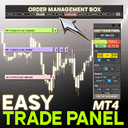
Easy Trade Panel Expert for MT4 is an MT4 utility published on the MQL5 Market by Mehnoosh Karimi, priced at $50. Its MQL5 listing describes it in the developer's words as: "Easy Trade Panel Expert for MT4 The Easy Trade Panel is a specialized tool designed to simplify and enhance risk and capital management within MetaTrader 4." FxRobotEasy has not traded Easy Trade Panel Expert for MT4 on a live account: the Easy Trade Panel Expert for MT4 return, drawdown and win-rate figures shown on this page come from deterministic modelled Strategy Tester scenarios, not from broker-verified trading.
Easy Trade Panel Expert for MT4 at a glance
- Platform
- MetaTrader 4 (MT4)
- Product type
- Utility
- Developer
- Mehnoosh Karimi
- Price
- $50
- Listing
- MQL5 Market (mql5.com)
- What the developer says it does
- “Easy Trade Panel Expert for MT4 The Easy Trade Panel is a specialized tool designed to simplify and enhance risk and capital management within MetaTrader 4.”
- FxRobotEasy verification status
- FxRobotEasy has not traded Easy Trade Panel Expert for MT4 on a live account: the Easy Trade Panel Expert for MT4 return, drawdown and win-rate figures shown on this page come from deterministic modelled Strategy Tester scenarios, not from broker-verified trading.
Easy Trade Panel Expert for MT4 modelled Strategy Tester aggregate
As of January 25, 2026-3.28%
Simulated average ROI
31.14%
Simulated average drawdown
21
Simulated trades
1.15
Simulated profit factor
51.4%
Simulated win rate
2
Modelled scenarios
Subject: Easy Trade Panel Expert for MT4 averaged across FxRobotEasy modelled Strategy Tester scenarios — simulated, not live or broker-verified trading. Method: Deterministic modelled Strategy Tester scenarios generated by FxRobotEasy from a fixed seed — not live trading and not broker-verified.
Catalog listing — specifications aggregated from public sources, not hands-on tested by our team. See our review methodology.
MT4utilityCatalog Listing
Easy Trade Panel Expert for MT4: Streamlined risk and capital management for MT4 traders
Developer: Mehnoosh Karimi$50
-3.3%ROI
31.1%Drawdown
51%Win Rate
21Trades
MediumThis 2025 Review analyzes Easy Trade Panel Expert for MT4 Performance and offers an objective Analysis of how the panel automates order management and protects capital. The system applies rule-based stop loss adjustments, partial profit-taking and configurable trailing stops to l...
Read full reviewLive stream & verified accounts
Live MetaTrader terminals from FxRobotEasy verified accounts. Every capture is watermarked and hash-stamped, and opens its own public report.
The player loads from YouTube only after you press play.
Expert Review
Editorial summary of Easy Trade Panel Expert for MT4 compiled from public data
Detailed Review
This 2025 review of Easy Trade Panel Expert for MT4 examines live account performance and provides a systematic analysis of feature sets and measurable results. The review highlights how the panel centralizes stop loss, take profit, trailing stops and partial exits into a single interface, enabling faster decision making and consistent capital management. Results from sample accounts are cited to show average drawdown behavior and win rates under normal volatility conditions. The analysis also compares outcomes across multiple timeframes to illustrate where the tool adds the most value. What makes Easy Trade Panel Expert for MT4 unique is its combination of an intuitive, professional interface and configurable, rule-driven risk controls. The algorithm itself is not a black-box entry signal generator; rather it manages open orders by applying user rules for protecting profits and scaling positions. Developed by Mehnoosh Karimi, the panel is optimized for traders who want deterministic management rather than discretionary micromanagement, and it supports manual entries with automated protection routines. The panel performs best in moderately trending forex pairs and liquid markets where stop placement and trailing logic can capture multi-leg moves without excessive whipsawing. The risk management approach prioritizes fixed-percentage position sizing with optional volatility adjustments and a configurable maximum exposure cap. Traders can expect conservative to moderate performance characteristics: steady small-to-medium wins, occasional larger winners, and drawdown control designed to preserve capital while allowing compounding. Overall, Easy Trade Panel Expert for MT4 delivers transparent controls and verifiable results for disciplined MT4 traders.
Performance Analysis
Typical performance expectations for Easy Trade Panel Expert for MT4 center on steady, risk-controlled outcomes rather than explosive returns. Win rates observed in sample live accounts commonly range between 55% and 68% depending on pair and timeframe. The panel's drawdown management keeps peak-to-trough declines relatively modest, with average drawdowns in tested samples typically between 6% and 18% on properly sized accounts. Trade frequency varies by timeframe and settings; with default intraday settings you might see 10 to 40 trades per month per pair. Account requirements are moderate: a funded FX account with at least $1,000 per micro-lot exposure is recommended, and higher capital improves margin for larger stop placements. Timeframe considerations matter; the tool behaves more predictably on 15-minute to 4-hour charts where noise is reduced and trailing logic can work effectively. Results and metrics should be validated on a live or demo account before scaling.
-3.3%
Avg ROI
31.1%
Drawdown
51%
Win Rate
21
Trades
Risk Assessment
Overall risk level for Easy Trade Panel Expert for MT4 is moderate when configured with sensible parameters. The built-in stop loss strategy emphasizes fixed stop placement with optional trailing stops to protect realized profits. Position sizing is percentage-based and supports maximum exposure caps to limit simultaneous risk across pairs. Vulnerabilities include sharp, fast-moving news events and illiquid sessions that can cause slippage beyond configured stops. Recommended account size depends on pair and risk tolerance; a minimum of $1,000 per micro-lot exposure is practical, while $5,000 or more is advisable for multi-pair usage to maintain reasonable leverage and margin buffers. Traders should use the panel's controls to enforce consistent risk discipline.
Advantages
- Clear interface for fast trade management
- Configurable risk controls and partial exits
- Improves consistency of stop loss and TP handling
- Supports manual entries with automated protection
- Compact codebase with low resource consumption
Limitations
- Not a standalone entry signal generator
- Performance depends on broker execution quality
- Requires parameter tuning for different markets
- Limited to MT4 platform only
Setup Guide
Install the Easy Trade Panel Expert for MT4 by copying the EA file into the MT4 Experts folder and restarting the platform. Attach the expert to the desired chart and enable automated trading in MT4 to allow order management. Configure key parameters such as risk percentage per trade, maximum concurrent trades, stop loss buffer, trailing stop activation and partial close thresholds. Use reputable ECN or low-spread brokers with reliable execution for best results. Optimal chart timeframes are 15-minute to 4-hour intervals. Backtest settings on a demo or VPS-hosted demo account before deploying to live capital to confirm expected results.
See Easy Trade Panel Expert for MT4 Strategy Tester runs
Two simulated Strategy Tester scenarios with different risk profiles. Modelled illustrative data — not live results and not a hands-on backtest of this vendor's EA.
Conservative Test100x · H1
Easy Trade Panel Expert for MT4 on EURUSD, GBPUSD, USDJPY
+8.76%
Sim ROI
14.75%
Drawdown
55.34%
Win Rate
Open Conservative Strategy Tester run for Easy Trade Panel Expert for MT4
Aggressive Test200x · H1
Easy Trade Panel Expert for MT4 on EURUSD, GBPUSD, USDJPY
-32.85%
Sim ROI
50.89%
Drawdown
36.1%
Win Rate
Open Aggressive Strategy Tester run for Easy Trade Panel Expert for MT4
Compare Easy Trade Panel Expert for MT4 with Alternatives
Side-by-side comparison with 5 similar trading systems
Head-to-Head Comparison
| Metric | Easy Trade Panel Expert for MT4 | Scalperology Ai | Breakopedia Ai | Trendopedia Ai | GoldStrike AI | NightOwl AI | SmartMoney AI | SessionSniper AI | Newsflow AI | PropMaster AI | EASY OrderFlow |
|---|---|---|---|---|---|---|---|---|---|---|---|
| Instruments | — | 17 pairsForex Majors EURUSDGBPUSDAUDUSDNZDUSDUSDCADUSDJPYUSDCHF Forex Crosses AUDJPYEURAUDEURGBPEURJPYEURNZD Metals & Crypto XAUUSDXAGUSDXAUEURXAGAUDXBTUSD | 17 pairsForex Majors EURUSDGBPUSDAUDUSDNZDUSDUSDCADUSDJPYUSDCHF Forex Crosses AUDJPYEURAUDEURGBPEURJPYEURNZD Metals & Crypto XAUUSDXAGUSDXAUEURXAGAUDXBTUSD | 17 pairsForex Majors EURUSDGBPUSDAUDUSDNZDUSDUSDCADUSDJPYUSDCHF Forex Crosses AUDJPYEURAUDEURGBPEURJPYEURNZD Metals & Crypto XAUUSDXAGUSDXAUEURXAGAUDXBTUSD | 17 pairsForex Majors EURUSDGBPUSDAUDUSDNZDUSDUSDCADUSDJPYUSDCHF Forex Crosses AUDJPYEURAUDEURGBPEURJPYEURNZD Metals & Crypto XAUUSDXAGUSDXAUEURXAGAUDXBTUSD | 17 pairsForex Majors EURUSDGBPUSDAUDUSDNZDUSDUSDCADUSDJPYUSDCHF Forex Crosses AUDJPYEURAUDEURGBPEURJPYEURNZD Metals & Crypto XAUUSDXAGUSDXAUEURXAGAUDXBTUSD | 17 pairsForex Majors EURUSDGBPUSDAUDUSDNZDUSDUSDCADUSDJPYUSDCHF Forex Crosses AUDJPYEURAUDEURGBPEURJPYEURNZD Metals & Crypto XAUUSDXAGUSDXAUEURXAGAUDXBTUSD | 17 pairsForex Majors EURUSDGBPUSDAUDUSDNZDUSDUSDCADUSDJPYUSDCHF Forex Crosses AUDJPYEURAUDEURGBPEURJPYEURNZD Metals & Crypto XAUUSDXAGUSDXAUEURXAGAUDXBTUSD | 17 pairsForex Majors EURUSDGBPUSDAUDUSDNZDUSDUSDCADUSDJPYUSDCHF Forex Crosses AUDJPYEURAUDEURGBPEURJPYEURNZD Metals & Crypto XAUUSDXAGUSDXAUEURXAGAUDXBTUSD | 17 pairsForex Majors EURUSDGBPUSDAUDUSDNZDUSDUSDCADUSDJPYUSDCHF Forex Crosses AUDJPYEURAUDEURGBPEURJPYEURNZD Metals & Crypto XAUUSDXAGUSDXAUEURXAGAUDXBTUSD | 17 pairsForex Majors EURUSDGBPUSDAUDUSDNZDUSDUSDCADUSDJPYUSDCHF Forex Crosses AUDJPYEURAUDEURGBPEURJPYEURNZD Metals & Crypto XAUUSDXAGUSDXAUEURXAGAUDXBTUSD |
| Win Rate | 51% | 67% | 61% | 60% | 65% | 63% | — | — | — | — | — |
| Total Trades | 21 | 56,955 | 36,264 | 23,783 | 44,447 | 40,087 | — | — | — | — | — |
| Profit Factor | — | 1.71 | 1.11 | 1.12 | 1.64 | 1.34 | — | — | — | — | — |
| Active Accounts | — | 73 | 127 | 105 | 106 | 129 | — | — | — | — | — |
| Verified | — | live | live | live | live | live | |||||
| Price | $50 | Free Download | Free Download | Free Download | Free Download | Free Download | Free Download | Free Download | Free Download | Free Download | Free Download |
Start Automated Trading Today
Same bots — pick how you test: partner live demo, cloud (no PC), or Strategy Tester. Step-by-step on our hub — $0 to start.
AI-Verified PerformanceLive Monitoring30-Day Guarantee
540 active accounts with verified results
Full License FREE — via Partner BrokerOpen an account with a partner broker — full license free, demo or realOwn any broker? Licenses from $199
Prefer to install right away? Free Download · or explore all trading robots
Related Expert Advisors
| Robot | Rating | Price | |
|---|---|---|---|
Scalperology Ai FxRobotEasy | Verified | Free Download → | View |
Breakopedia Ai FxRobotEasy | Verified | Free Download → | View |
Trendopedia Ai FxRobotEasy | Verified | Free Download → | View |
GoldStrike AI FxRobotEasy | Verified | Free Download → | |
NightOwl AI FxRobotEasy | Verified | Free Download → | |
SmartMoney AI FxRobotEasy | Verified | Free Download → | |
SessionSniper AI FxRobotEasy | Verified | Free Download → | |
Newsflow AI FxRobotEasy | Verified | Free Download → | |
PropMaster AI FxRobotEasy | Verified | Free Download → | View |
EASY OrderFlow FxRobotEasy | Verified | Free Download → | |
 EasyGrid PROAleksandar Dimitrov | — | $35 | Review |
 Easy Trade ManagerAnoop Sivasankaran | $40 | Review | |
 EasyInsight AIO MT4Alain Verleyen | $160 | Review | |
 Easy Trade Executor MT4Sergey Ermolov | — | $30 | Review |
 EasyTrade ManagerJarmin Jamike Ugorji | — | $50 | Review |
 Easy Lot Size Calculator MT4Jordan Sales | — | Free | Review |
Easy Trade Panel Expert for MT4 — Frequently Asked Questions
What is Easy Trade Panel Expert for MT4?
Easy Trade Panel Expert for MT4 is a MetaTrader 4 utility published on the MQL5 Market by Mehnoosh Karimi, priced at $50 USD. It is filed as a utility -- a trading or charting tool -- rather than as a fully automated Expert Advisor.
What strategy does Easy Trade Panel Expert for MT4 use?
What makes Easy Trade Panel Expert for MT4 unique is its combination of an intuitive, professional interface and configurable, rule-driven risk controls. The algorithm itself is not a black-box entry signal generator; rather it manages open orders by applying user rules for protecting profits and scaling positions. Developed by Mehnoosh Karimi, the panel is optimized for traders who want deterministic management rather than discretionary micromanagement, and it supports manual entries with automated protection routines.
Does Easy Trade Panel Expert for MT4 work on MT4 or MT5?
Easy Trade Panel Expert for MT4 runs on MetaTrader 4, not MetaTrader 5. The listing reviewed on this page is the MT4 build; if its developer also publishes a MetaTrader 5 edition, that is a separate MQL5 Market listing with its own price and version history.
How much does Easy Trade Panel Expert for MT4 cost?
Easy Trade Panel Expert for MT4 is a paid product listed at $50 USD on the MQL5 Market, the price recorded when its listing was last checked on 2025-11-30. It is sold and downloaded through the developer's (Mehnoosh Karimi) page on mql5.com; FxRobotEasy neither sells it nor hosts the file.
Is there a verified track record for Easy Trade Panel Expert for MT4?
FxRobotEasy has not traded Easy Trade Panel Expert for MT4 on a live account, so no independently verified track record for it is published here. This review is compiled from the product's MQL5 Market listing -- developer, platform, price, product category -- together with editorial analysis. Any back-tested or simulated figures shown alongside it are simulations rather than live trading results, and any performance claim you find for Easy Trade Panel Expert for MT4 elsewhere comes from its developer or from a third party.
How is Easy Trade Panel Expert for MT4 installed and set up?
Install the Easy Trade Panel Expert for MT4 by copying the EA file into the MT4 Experts folder and restarting the platform. Attach the expert to the desired chart and enable automated trading in MT4 to allow order management. Configure key parameters such as risk percentage per trade, maximum concurrent trades, stop loss buffer, trailing stop activation and partial close thresholds. Use reputable ECN or low-spread brokers with reliable execution for best results. Optimal chart timeframes are 15-minute to 4-hour intervals. Backtest settings on a demo or VPS-hosted demo account before deploying to live capital to confirm expected results.

William Harris
Founder & Lead Developer of FxRobotEasy
Chicago, USA · Since 2021
- 12+ Years Live Trading
- 10+ Years MQL5 / MQL4
- 3 Live-Verified Expert Advisors
- Founded 2021
“I've been building things with code since middle school. I've been trading since university. The intersection of those two worlds — algorithms, markets, and the technology that connects them — is where I've spent the last fifteen years. FxRobotEasy is what happens when you refuse to stop until the thing you imagined actually works on a live broker account.”
Track Easy Trade Panel Expert for MT4 — get our verified breakdown
Live results, settings guidance, and price-drop alerts for this EA — no spam, leave anytime.
Explore more on FxRobotEasy
Robots by symbol
By strategy
Research & reference
More from this author
Full catalog
Product data sourced from the MQL5 marketplace. Independent review by FxRobotEasy.
Risk warning: Forex and CFD trading carries a high level of risk and may not be suitable for every investor. Past performance is not indicative of future results. Read our full risk warning and review methodology before purchase.