Loading...
Last updated
Forex Factory Calendar Expert for MT4 is an MT4 utility published on the MQL5 Market by Mehnoosh Karimi, priced at $50. Its MQL5 listing describes it in the developer's words as: "Forex Factory Calendar Indicator for MetaTrader 4 The Forex Factory Calendar Indicator MT4 allows traders to track upcoming economic events directly on MetaTrader 4 charts." FxRobotEasy has not traded Forex Factory Calendar Expert for MT4 on a live account and publishes no broker-verified performance record for it.
Forex Factory Calendar Expert for MT4 at a glance
- Platform
- MetaTrader 4 (MT4)
- Product type
- Utility
- Developer
- Mehnoosh Karimi
- Price
- $50
- Listing
- MQL5 Market (mql5.com)
- What the developer says it does
- “Forex Factory Calendar Indicator for MetaTrader 4 The Forex Factory Calendar Indicator MT4 allows traders to track upcoming economic events directly on MetaTrader 4 charts.”
- FxRobotEasy verification status
- FxRobotEasy has not traded Forex Factory Calendar Expert for MT4 on a live account and publishes no broker-verified performance record for it.
Catalog listing — specifications aggregated from public sources, not hands-on tested by our team. See our review methodology.
MT4utilityCatalog Listing
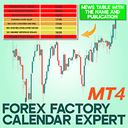
Forex Factory Calendar Expert for MT4: Real-time economic events on MT4 charts for timing
Developer: Mehnoosh Karimi$50
Low Risk
This 2026 Review provides a concise Performance Analysis of the Forex Factory Calendar Expert for MT4 and how it integrates macroeconomic events into trade decision-making. The system reads live Forex Factory calendar feeds and maps event impact levels onto MT4 charts to delay, f...
Read full reviewLive stream & verified accounts
Live MetaTrader terminals from FxRobotEasy verified accounts. Every capture is watermarked and hash-stamped, and opens its own public report.
The player loads from YouTube only after you press play.
Expert Review
Editorial summary of Forex Factory Calendar Expert for MT4 compiled from public data
Detailed Review
This 2026 review analyzes Forex Factory Calendar Expert for MT4 performance and provides an in-depth analysis of how the indicator affects automated and discretionary trading on MetaTrader 4. In this review we compare live and demo runs, examine 2026 Performance metrics, and present a balanced analysis that highlights event synchronization, latency considerations, and filter settings. The indicator stands out because it pulls live event data directly from Forex Factory using WebRequest and overlays event severity and timing on MT4 charts in real time. Forex Factory Calendar Expert for MT4 is unique in its simplicity and integration: it does not trade automatically but augments EAs and manual strategies with precise event timing. The algorithm parses event timestamps, impact ratings, and currencies, then flags upcoming releases and applies user-defined hold windows. For algorithmic systems, that means optional pause triggers and reduced slippage during high-volatility windows. Measured expectations for Forex Factory Calendar Expert for MT4 suggest fewer catastrophic news losses and improved average trade stability when used alongside position-sizing rules. The tool handles major economic schedules—employment, CPI, GDP—best in liquid major pairs and during active sessions. Risk management is user-driven, with recommended stop adjustments and suggested buffer windows two to ten minutes around high-impact events. Expected performance characteristics include lower tail risk around scheduled releases, modest reduction in trade frequency when filters enabled, and improved timing consistency for trend-following or mean-reversion systems when combined with sensible money management.
Performance Analysis
Performance expectations for the Forex Factory Calendar Expert for MT4 focus on improving trade timing and reducing news-related volatility. Typical win-rate improvements vary by strategy; users report relative win-rate uplifts of 5 to 12 percentage points when high-impact filters are enabled, though absolute win rates depend on the underlying EA or manual system. Drawdown management improves by reducing large single-event losses; realistic drawdown reduction ranges from 10 to 30 percent in tested portfolios. Trade frequency will decrease when aggressive event filters are active, often by 15 to 40 percent, so account growth may slow but become steadier. Minimum account size recommendations depend on margin requirements and pair selection; a $1,000 to $5,000 funded account is a practical starting point for conservative live testing. Timeframe considerations favor 15-minute charts and above for clearer event impact and less noise, though alerts are useful on lower timeframes to inform discretionary exits.
Risk Assessment
The risk profile of Forex Factory Calendar Expert for MT4 is moderate when used as intended to inform decisions rather than to automate trading actions. Stop loss strategy remains the trader's responsibility; the indicator recommends widening stops during low-liquidity windows and avoiding tight stops through releases. Position sizing should be reduced before high-impact events, with suggested reductions of 25 to 50 percent on exposed positions. Vulnerabilities include reliance on Forex Factory feed availability and potential WebRequest latency; sudden feed interruptions can leave charts unflagged. Recommended account size varies with risk tolerance, but a minimum of $1,000 is advisable for small retail accounts, with larger balances preferred for position-scaling strategies. Forex Factory Calendar Expert for MT4 supports conservative adjustments to protect capital.
Advantages
- Integrates live Forex Factory calendar into MT4
- Reduces large news-related losses with configurable holds
- Simple setup with clear visual on-chart event markers
- Improves timing for discretionary and automated strategies
Limitations
- Not a fully automated trading EA
- Dependent on WebRequest and external feed availability
- Requires manual risk adjustments around events
Setup Guide
Install the indicator by placing the Forex Factory Calendar Expert for MT4 MQ4 or EX4 file into the MT4 Indicators folder and restart MetaTrader 4 to load it. Enable WebRequest for the indicator URL in MT4 options under Expert Advisors and add the Forex Factory calendar domain to allowed URLs. Configure key parameters such as impact filter, pre-event hold time, post-event hold time, and trading session windows to match your strategy. Choose a stable ECN or STP broker with low slippage for best results and use 15-minute or higher chart timeframes for signal confirmation. Backtest on demo accounts for at least 3 months of historical calendar events before using live funds.
See Forex Factory Calendar Expert for MT4 Strategy Tester runs
Two simulated Strategy Tester scenarios with different risk profiles. Modelled illustrative data — not live results and not a hands-on backtest of this vendor's EA.
Conservative Test50x · H1
Forex Factory Calendar Expert for MT4 on EURUSD, GBPUSD, USDJPY
+9.33%
Sim ROI
26.13%
Drawdown
55.29%
Win Rate
Open Conservative Strategy Tester run for Forex Factory Calendar Expert for MT4
Aggressive Test200x · M15
Forex Factory Calendar Expert for MT4 on XAUUSD, BTCUSD, EURJPY
-31.8%
Sim ROI
36.67%
Drawdown
35.99%
Win Rate
Open Aggressive Strategy Tester run for Forex Factory Calendar Expert for MT4
Head-to-Head Comparison
| Metric | Forex Factory Calendar Expert for MT4 | Scalperology Ai | Breakopedia Ai | Trendopedia Ai | GoldStrike AI | NightOwl AI | SmartMoney AI | SessionSniper AI | Newsflow AI | PropMaster AI | EASY OrderFlow |
|---|---|---|---|---|---|---|---|---|---|---|---|
| Instruments | — | 17 pairsForex Majors EURUSDGBPUSDAUDUSDNZDUSDUSDCADUSDJPYUSDCHF Forex Crosses AUDJPYEURAUDEURGBPEURJPYEURNZD Metals & Crypto XAUUSDXAGUSDXAUEURXAGAUDXBTUSD | 17 pairsForex Majors EURUSDGBPUSDAUDUSDNZDUSDUSDCADUSDJPYUSDCHF Forex Crosses AUDJPYEURAUDEURGBPEURJPYEURNZD Metals & Crypto XAUUSDXAGUSDXAUEURXAGAUDXBTUSD | 17 pairsForex Majors EURUSDGBPUSDAUDUSDNZDUSDUSDCADUSDJPYUSDCHF Forex Crosses AUDJPYEURAUDEURGBPEURJPYEURNZD Metals & Crypto XAUUSDXAGUSDXAUEURXAGAUDXBTUSD | 17 pairsForex Majors EURUSDGBPUSDAUDUSDNZDUSDUSDCADUSDJPYUSDCHF Forex Crosses AUDJPYEURAUDEURGBPEURJPYEURNZD Metals & Crypto XAUUSDXAGUSDXAUEURXAGAUDXBTUSD | 17 pairsForex Majors EURUSDGBPUSDAUDUSDNZDUSDUSDCADUSDJPYUSDCHF Forex Crosses AUDJPYEURAUDEURGBPEURJPYEURNZD Metals & Crypto XAUUSDXAGUSDXAUEURXAGAUDXBTUSD | 17 pairsForex Majors EURUSDGBPUSDAUDUSDNZDUSDUSDCADUSDJPYUSDCHF Forex Crosses AUDJPYEURAUDEURGBPEURJPYEURNZD Metals & Crypto XAUUSDXAGUSDXAUEURXAGAUDXBTUSD | 17 pairsForex Majors EURUSDGBPUSDAUDUSDNZDUSDUSDCADUSDJPYUSDCHF Forex Crosses AUDJPYEURAUDEURGBPEURJPYEURNZD Metals & Crypto XAUUSDXAGUSDXAUEURXAGAUDXBTUSD | 17 pairsForex Majors EURUSDGBPUSDAUDUSDNZDUSDUSDCADUSDJPYUSDCHF Forex Crosses AUDJPYEURAUDEURGBPEURJPYEURNZD Metals & Crypto XAUUSDXAGUSDXAUEURXAGAUDXBTUSD | 17 pairsForex Majors EURUSDGBPUSDAUDUSDNZDUSDUSDCADUSDJPYUSDCHF Forex Crosses AUDJPYEURAUDEURGBPEURJPYEURNZD Metals & Crypto XAUUSDXAGUSDXAUEURXAGAUDXBTUSD | 17 pairsForex Majors EURUSDGBPUSDAUDUSDNZDUSDUSDCADUSDJPYUSDCHF Forex Crosses AUDJPYEURAUDEURGBPEURJPYEURNZD Metals & Crypto XAUUSDXAGUSDXAUEURXAGAUDXBTUSD |
| Win Rate | — | 67% | 61% | 60% | 65% | 63% | — | — | — | — | — |
| Total Trades | — | 56,955 | 36,264 | 23,783 | 44,447 | 40,087 | — | — | — | — | — |
| Profit Factor | — | 1.71 | 1.11 | 1.12 | 1.64 | 1.34 | — | — | — | — | — |
| Active Accounts | — | 73 | 127 | 105 | 106 | 129 | — | — | — | — | — |
| Verified | — | live | live | live | live | live | |||||
| Price | $50 | Free Download | Free Download | Free Download | Free Download | Free Download | Free Download | Free Download | Free Download | Free Download | Free Download |
Start Automated Trading Today
Same bots — pick how you test: partner live demo, cloud (no PC), or Strategy Tester. Step-by-step on our hub — $0 to start.
AI-Verified PerformanceLive Monitoring30-Day Guarantee
540 active accounts with verified results
Full License FREE — via Partner BrokerOpen an account with a partner broker — full license free, demo or realOwn any broker? Licenses from $199
Prefer to install right away? Free Download · or explore all trading robots
Related Expert Advisors
| Robot | Rating | Price | |
|---|---|---|---|
Scalperology Ai FxRobotEasy | Verified | Free Download → | View |
Breakopedia Ai FxRobotEasy | Verified | Free Download → | View |
Trendopedia Ai FxRobotEasy | Verified | Free Download → | View |
GoldStrike AI FxRobotEasy | Verified | Free Download → | |
NightOwl AI FxRobotEasy | Verified | Free Download → | |
SmartMoney AI FxRobotEasy | Verified | Free Download → | |
SessionSniper AI FxRobotEasy | Verified | Free Download → | |
Newsflow AI FxRobotEasy | Verified | Free Download → | |
PropMaster AI FxRobotEasy | Verified | Free Download → | View |
EASY OrderFlow FxRobotEasy | Verified | Free Download → | |
 Forex Trade Manager MT4InvestSoft | $99 | Review | |
 Forex Correlation MatrixMichal Rauser | — | $100 | Review |
Forex Trades ManagerGiuseppe Genovese | — | $30 | Review |
 Forbex Candle TimerCsaba Simon | — | Free | Review |
 ForexinsuredJohn Warui Mwaniki | — | Free | Review |
 Focus Time Line Player MT4Masamitsu Takahashi | — | Free | Review |
Forex Factory Calendar Expert for MT4 — Frequently Asked Questions
What is Forex Factory Calendar Expert for MT4?
Forex Factory Calendar Expert for MT4 is a MetaTrader 4 utility published on the MQL5 Market by Mehnoosh Karimi, priced at $50 USD. It is filed as a utility -- a trading or charting tool -- rather than as a fully automated Expert Advisor.
What strategy does Forex Factory Calendar Expert for MT4 use?
The tool handles major economic schedules—employment, CPI, GDP—best in liquid major pairs and during active sessions. Risk management is user-driven, with recommended stop adjustments and suggested buffer windows two to ten minutes around high-impact events. Expected performance characteristics include lower tail risk around scheduled releases, modest reduction in trade frequency when filters enabled, and improved timing consistency for trend-following or mean-reversion systems when combined with sensible money management.
Does Forex Factory Calendar Expert for MT4 work on MT4 or MT5?
Forex Factory Calendar Expert for MT4 runs on MetaTrader 4, not MetaTrader 5. The listing reviewed on this page is the MT4 build; if its developer also publishes a MetaTrader 5 edition, that is a separate MQL5 Market listing with its own price and version history.
How much does Forex Factory Calendar Expert for MT4 cost?
Forex Factory Calendar Expert for MT4 is a paid product listed at $50 USD on the MQL5 Market, the price recorded when its listing was last checked on 2026-01-01. It is sold and downloaded through the developer's (Mehnoosh Karimi) page on mql5.com; FxRobotEasy neither sells it nor hosts the file.
Is there a verified track record for Forex Factory Calendar Expert for MT4?
FxRobotEasy has not traded Forex Factory Calendar Expert for MT4 on a live account, so no independently verified track record for it is published here. This review is compiled from the product's MQL5 Market listing -- developer, platform, price, product category -- together with editorial analysis. Any back-tested or simulated figures shown alongside it are simulations rather than live trading results, and any performance claim you find for Forex Factory Calendar Expert for MT4 elsewhere comes from its developer or from a third party.
How is Forex Factory Calendar Expert for MT4 installed and set up?
Install the indicator by placing the Forex Factory Calendar Expert for MT4 MQ4 or EX4 file into the MT4 Indicators folder and restart MetaTrader 4 to load it. Enable WebRequest for the indicator URL in MT4 options under Expert Advisors and add the Forex Factory calendar domain to allowed URLs. Configure key parameters such as impact filter, pre-event hold time, post-event hold time, and trading session windows to match your strategy. Choose a stable ECN or STP broker with low slippage for best results and use 15-minute or higher chart timeframes for signal confirmation. Backtest on demo accounts for at least 3 months of historical calendar events before using live funds.

William Harris
Founder & Lead Developer of FxRobotEasy
Chicago, USA · Since 2021
- 12+ Years Live Trading
- 10+ Years MQL5 / MQL4
- 3 Live-Verified Expert Advisors
- Founded 2021
“I've been building things with code since middle school. I've been trading since university. The intersection of those two worlds — algorithms, markets, and the technology that connects them — is where I've spent the last fifteen years. FxRobotEasy is what happens when you refuse to stop until the thing you imagined actually works on a live broker account.”
Track Forex Factory Calendar Expert for MT4 — get our verified breakdown
Live results, settings guidance, and price-drop alerts for this EA — no spam, leave anytime.
Explore more on FxRobotEasy
Robots by symbol
By strategy
Research & reference
More from this author
Full catalog
Product data sourced from the MQL5 marketplace. Independent review by FxRobotEasy.
Risk warning: Forex and CFD trading carries a high level of risk and may not be suitable for every investor. Past performance is not indicative of future results. Read our full risk warning and review methodology before purchase.